
Back to Features
Xcode & Simulator Artifacts
Finds every iOS Simulator, test simulator clone, DerivedData folder, archive, and tool cache Xcode leaves behind — often tens of gigabytes hiding in plain sight.
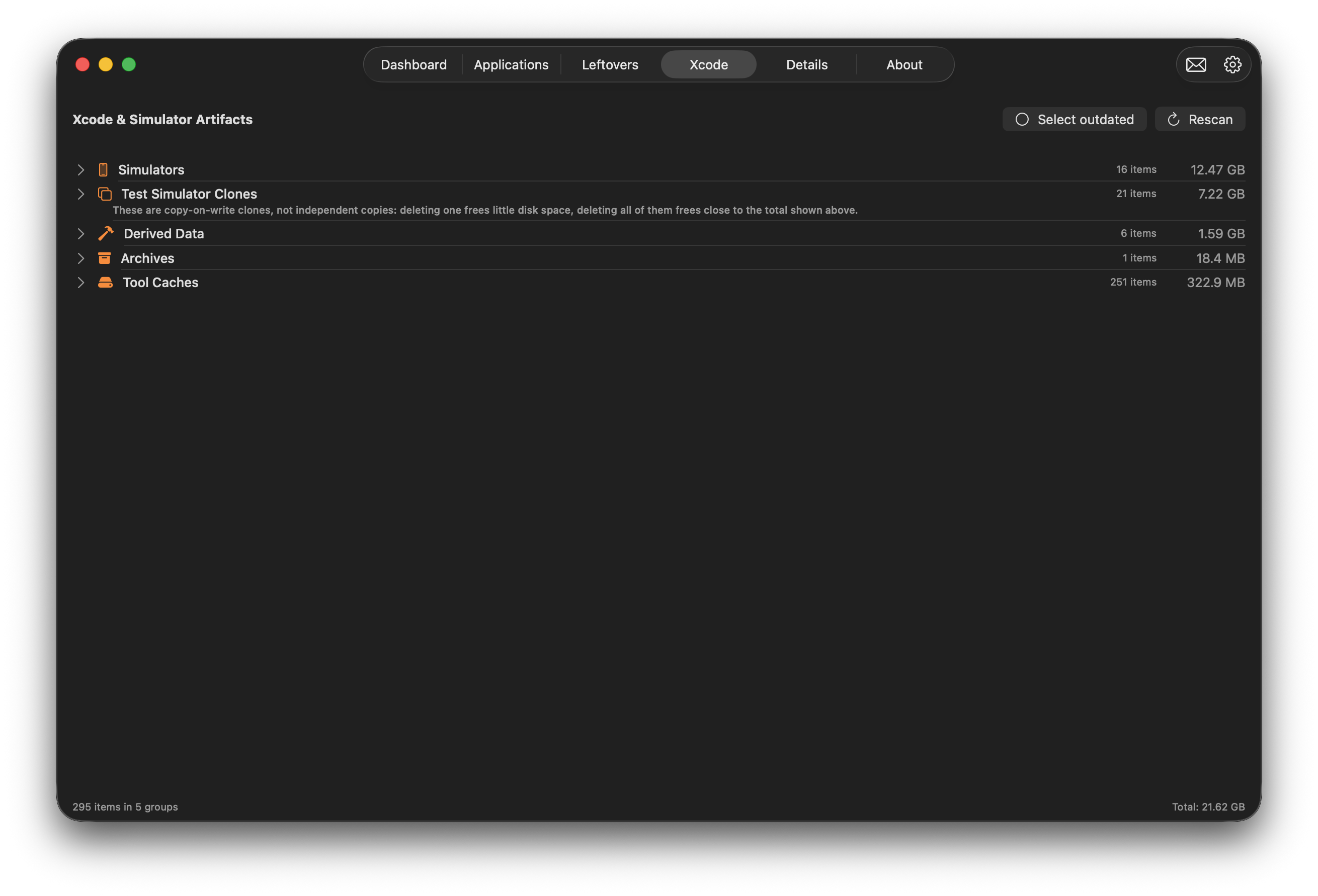
What Gets Scanned
Simulators
- Every installed iOS, iPadOS, watchOS, and tvOS Simulator device
- Shows device name, iOS version, size, and last-used date for each one
- Flags simulators whose runtime has since been removed from Xcode — safe candidates for removal
Test Simulator Clones
- Detects the copy-on-write clones Xcode creates automatically during UI testing
- Clones share underlying storage with their parent simulator via APFS copy-on-write, so deleting a single clone frees very little space
- Grouped separately from regular simulators, with a note that deleting the full set frees close to the group total shown
Derived Data
- Xcode's build intermediates and index caches — one of the fastest-growing folders on a developer's Mac
- Safe to remove; Xcode rebuilds it automatically on the next build
Archives
- .xcarchive bundles created by Xcode's Product → Archive, used for App Store submissions and ad-hoc builds
- Often forgotten on disk long after a release has shipped
Tool Caches
- Caches left behind by Xcode's command-line tools, Swift Package Manager, and related developer tooling
Bulk Cleanup Tools
- Select Outdated: one click selects every simulator whose runtime is no longer installed
- Rescan: re-scans Xcode-related storage after freeing space or changing installed simulator runtimes
- Per-item and per-group sizes throughout, so you know exactly what you're about to remove before you remove it
Ready to Try OverClean?
Download now and discover how much space you can reclaim.
Download & Scan Free