Back to Features
Safe Deletion & File Management
Safe and secure file management with multiple safeguards.
Deletion Methods
- Move to Trash: Safe deletion via macOS Trash (recoverable)
- Admin deletion: For protected files requiring elevated permissions
Context Menu Actions
- Show in Finder
- Move to Bin
Safety Features
- Confirmation dialogs before deletion
- Protected system patterns cannot be deleted
- Uses macOS Trash instead of permanent deletion
Before Your First Deletion
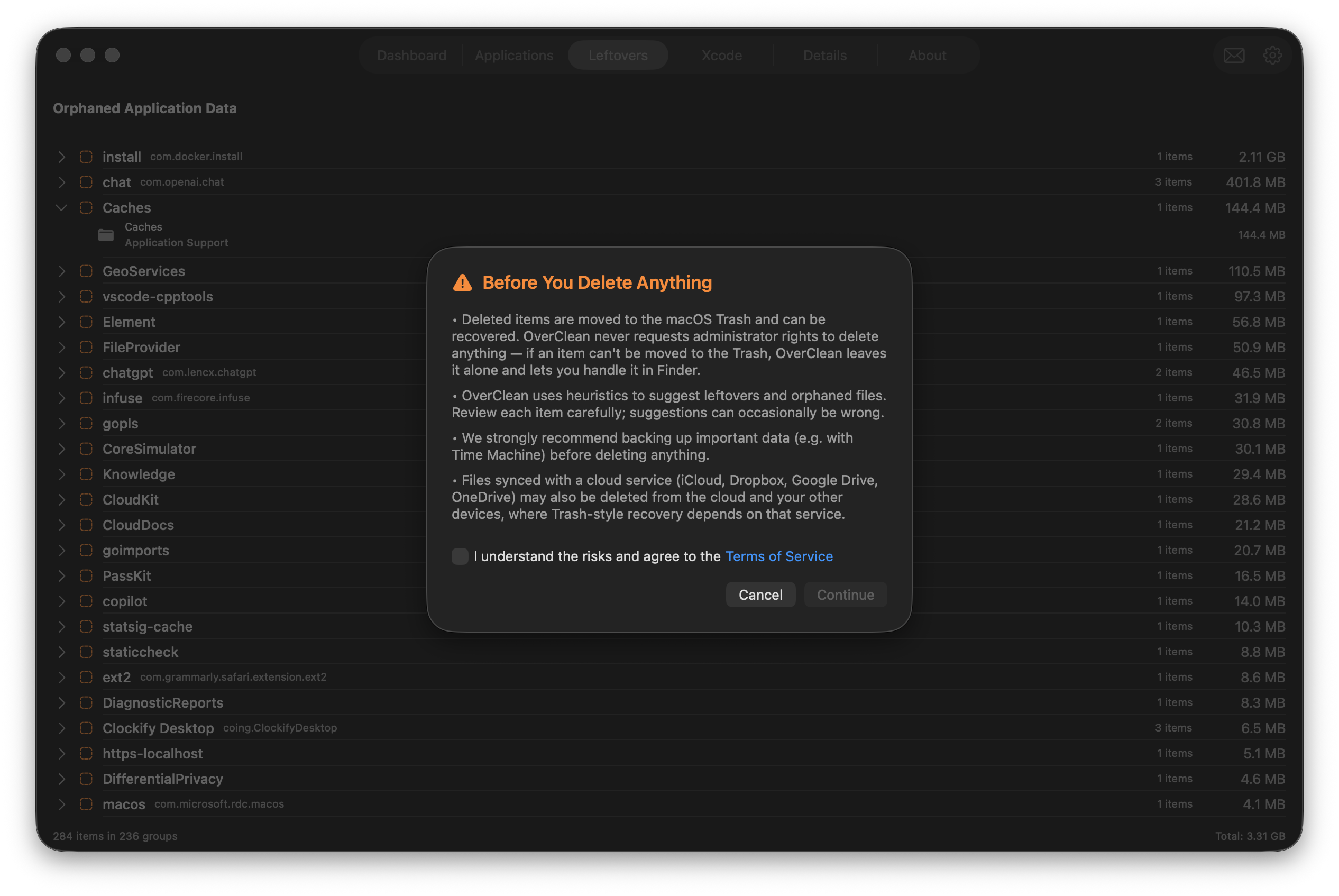
The first time you delete anything, OverClean shows a one-time acknowledgment dialog before you can proceed:
- Deleted items go to the macOS Trash and can be recovered — OverClean never requests admin rights to force a deletion; if an item can't be moved to the Trash, it's left alone for you to handle in Finder
- Leftover and orphaned-file suggestions are heuristic, so each item is worth a quick review before removal
- A reminder to back up important data (e.g. with Time Machine) before deleting anything
- A note that files synced with a cloud service (iCloud, Dropbox, Google Drive, OneDrive) may also be removed from the cloud and your other devices, where recovery depends on that service's own Trash behavior
Quick Access
Right-click on any item in the results list to access quick actions. One-click navigation lets you double-click any result to reveal it in Finder.
Workflow
- Scan your disk to identify large files and directories
- Browse results by category, directory, or file type
- Right-click items to reveal in Finder or move to Trash
- Repeat until you've freed up the desired amount of space
Ready to Try OverClean?
Download now and discover how much space you can reclaim.
Download & Scan Free